
Projects | HTML & CSS skills
Are you confused in doing projects for HTML & CSS skills? Don’t worry! I am here, to help you. Read this post carefully and start doing these amazing projects.
To become a Web Developer, every beginner starts with front end (HTML & CSS) skills. These skills are the basic phases. Without them, we are not able to make a website. Web Development is easy and interesting. Also, this is a great journey.
After learning HTML & CSS, you need to test your knowledge. And for that you must need to do some projects through which you can enhance your skills. As we all Web Developers know, in the starting phase when we are learning HTML, CSS. We always enjoy making buttons, adding images, adding videos, adding links and implementing many other amazing ideas, but when it comes to making a project using only HTML & CSS. We get confused about what kind of projects we should make and how to practice all these things.
By the way, it’s all easy to make a project but only after choosing the right project matching your skills. Sometimes, we choose some projects which include JavaScript and other skills. We start doing that project but after some time we have to quit that project because it requires more skills. In such a case, you need to change your project idea as you are going to test your only HTML, CSS skills.
Projects are important to practice your skills and to know your output of learning. So, here are some beginner-friendly projects mentioned that you can build.
My suggestion – Try to do all these projects. Don’t skip any project.
Let’s discuss – Top 7 projects for beginners to practice HTML & CSS skills
1. A Tribute Page
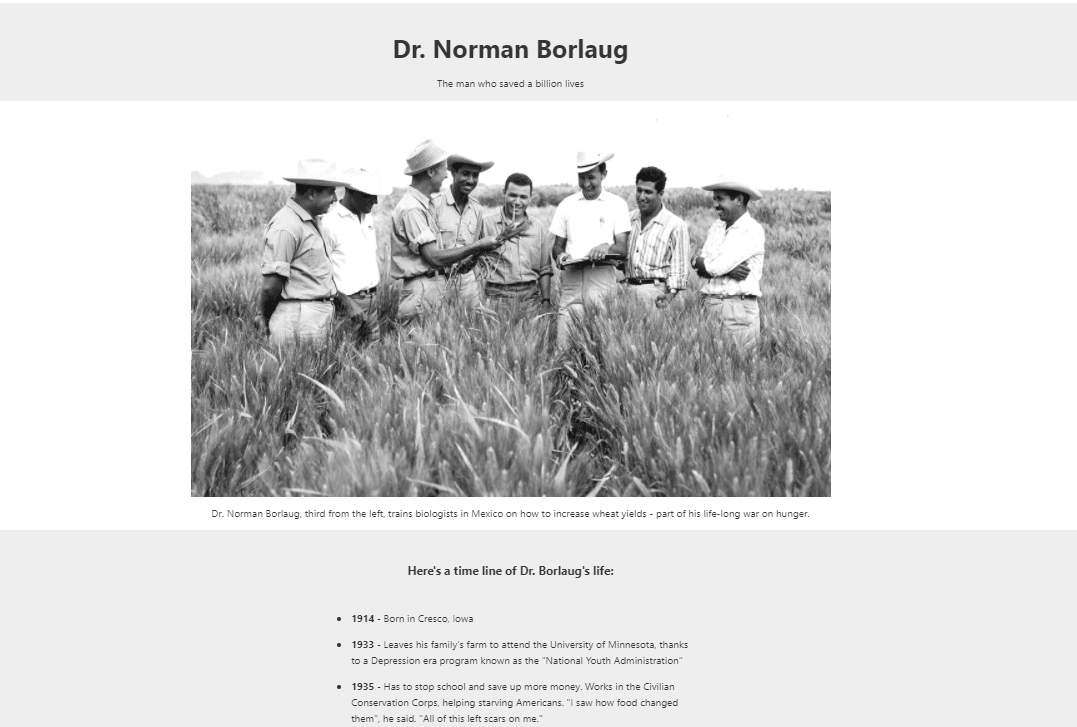
Make a tribute webpage for someone you admire in your life. In this project, you just need basic knowledge of HTML and CSS. On the top of the webpage just mention the name of that person and single line description. Add images of his/her, you can use lists, paragraphs, buttons and CSS to give a proper style and colors. Most of the work is done in HTML only and a bit of CSS is also used.
2. A Survey Form
Forms are an important part of any website. We need forms when we have to collect any data or feedback from users or for contact purposes etc. So, this project is very important.
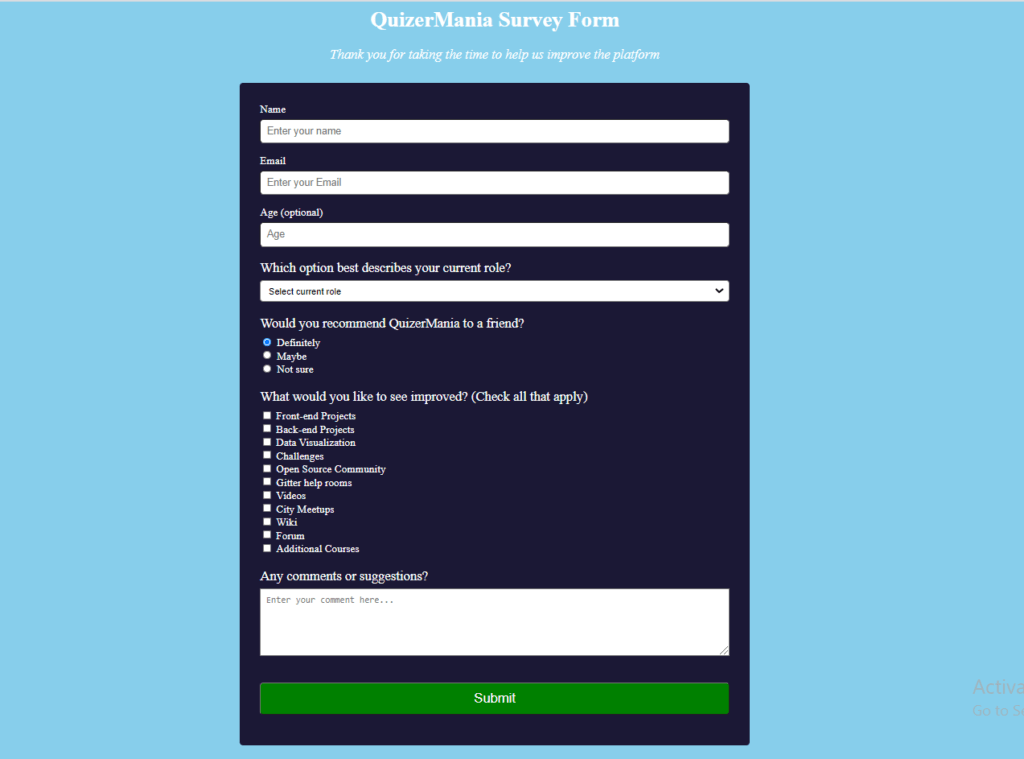
Basically, while learning HTML you have seen many tags like input tags, radio buttons, checkboxes, text fields and more things. So, as you can see in the above picture of the Survey Form, we have included all these tags and other stuff to make a complete form. Look at this form, analyze it and then start implementing. HTML and CSS are both equally important in this project.
3. A Login/Register Page
This is also a kind of form. The Login/Register page is required when you want to collect mail id and any other information from the user so that you can send the updated news to them. Sometimes you want only registered candidates to access the website content. In such cases, you need to build this page.
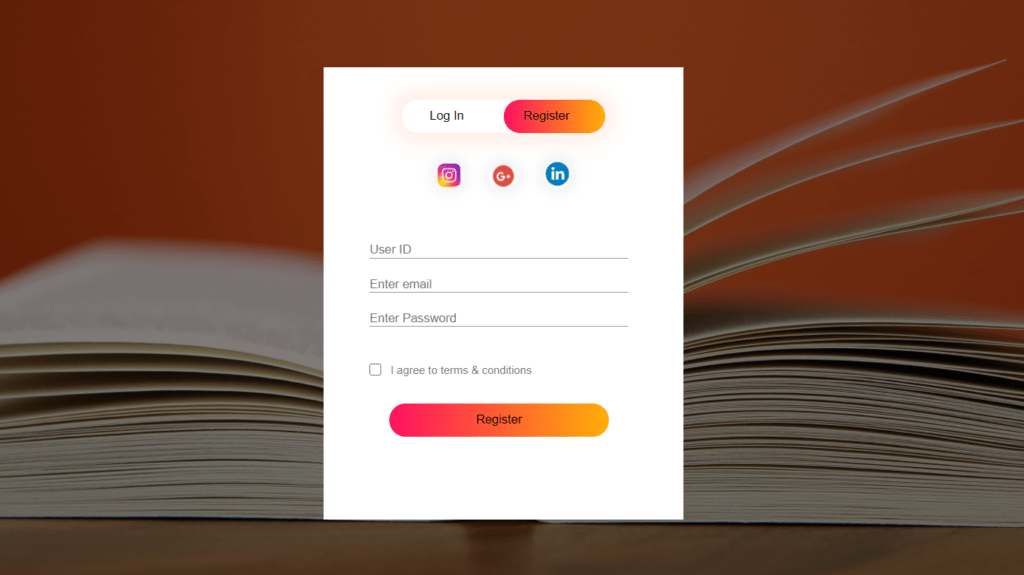
From the above picture, you can get the idea that we have to add some buttons, inputs for entering User ID, email, password, a checkbox and some social icons with proper links. At the top you can see two toggle buttons LogIn and Register. This time, in this project you need to put more effort. Everything is done by using HTML and CSS only.
4. Landing page
For this project, you need solid knowledge of HTML and CSS.
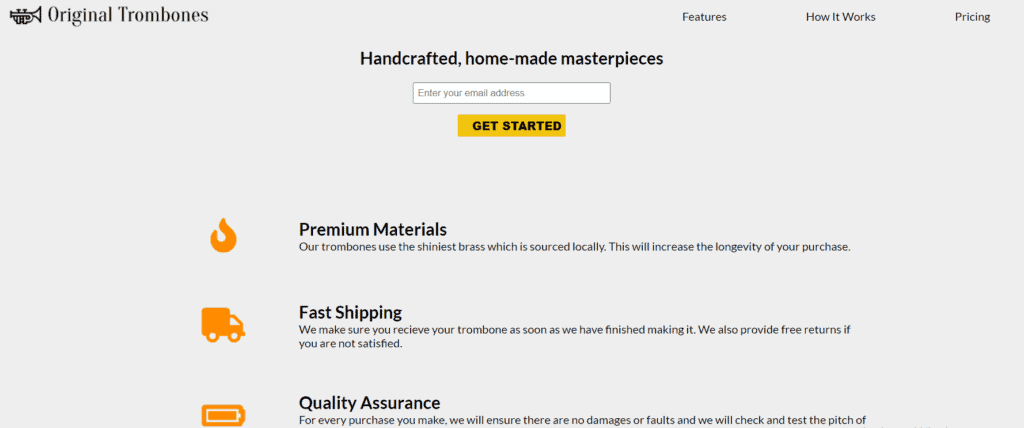
In this project, you will get to know how to combine different things like header, footer, columns, lists, etc. So, basically, you will learn how to add header and footer, align-items, create columns, make different sections and much more. With the help of CSS you will have to align items, give colors to text, embed background, give suitable padding and margins, embed icons, animations etc.
5. Google.com Page
We all are very familiar with the google.com page as we visit it many times. This page looks very pretty, neat and clean.
Are you thinking this is a project for beginners? Obviously, yes, we can do it in a very simple way.
We just need to add a Google logo, header, footer, a search bar, two buttons and a few texts. We have to arrange all these in the proper manner as on the google.com page. With the help of CSS align all the items and provide background color in the footer and buttons.
6. Personal Portfolio Webpage
With the help of HTML and CSS you can build your Portfolio website. You can host your portfolio on a GitHub account so that you can show it to others. In the portfolio, you can showcase your different projects, skills, CV and work samples. You can take help from this Personal Portfolio. As you can see in this portfolio sample that there is a header section having some menus like home, about and contact. You can do the same thing. And after the header, in the next section you can add your image in any style circular, rectangular etc. and introduce yourself. In the next section, you can show your projects, skills. And in the footer area add contact details and social account links.
7. Parallax Website
This project is going to be extremely good. Basically, Parallax websites are those in which images are fixed in the background and when we scroll the page, we can see different parts of the image and other text are scrolling up and down of that image. This parallax effect is really awesome and popular, it gives a great look to the webpage.
Visit the link and try to give a parallax effect to your website with the help of HTML and CSS only. Use CSS to set the background in fixed position, align the items, set margin and padding and use different CSS properties. It will take some time, but it’s very easy.
If you found this post useful and informative, let us know in the comment. To help other beginners, let them know about these projects by sharing the link ” “. Keep revisiting our website for more such content.
For competitive and university level exams learning with MCQs go to HTML MCQs, C Programming MCQs, C++ Programming MCQs and Software Engineering MCQs.
Pingback: ULTIMATE Graphic Design Quiz
I couldn’t resist commenting. Well written!